

Payroll software vs manual payroll: which to choose
Compare payroll software vs manual payroll to decide when to switch. Learn cost, compliance, operational and security trade-offs and a short decision checklist.

Waseem Saleem
· 6 min read

For most small and mid-sized companies the practical choice is clear: use payroll software once payroll complexity or staff time per cycle becomes significant. A payroll software comparison shows software wins on accuracy, auditability and scalability; manual payroll (spreadsheets and hand calculations) can still work for very small, simple teams but carries rising hidden costs and risk as you grow.
Why this decision matters for growing companies
Payroll is more than paying salaries. As headcount, pay elements and locations increase, payroll consumes staff time, exposes you to compliance risk and creates potential for costly corrections or penalties. Choosing the right approach early keeps finance and HR focused on operations, not firefighting.
Definitions
- Manual payroll: running payroll with spreadsheets, calculator checks, manual journal entries and ad hoc file sharing.
- Payroll software: a server-side system that evaluates formula-based pay rules, publishes payslips to an employee portal, stores a payroll register and history, and integrates with attendance and HR records.
This article gives a practical payroll software comparison to help founders, HR managers and operations leads decide when to switch.
Direct cost comparison: time, software, and error costs
Costs fall into three buckets: staff time, software fees, and error/penalty costs. Manual payroll looks cheap on subscription expense but often costs more in labour and corrections.
Typical cost components — manual payroll
- Payroll administrator hours: data entry, reconciliations, queries.
- Temporary help during month-end or growth bursts.
- Accounting time to post journals and correct mistakes.
- Penalties or late filings from missed statutory requirements.
- Loss of staff productivity answering payslip queries.
Typical cost components — payroll software
- Subscription or license fees (monthly or annual).
- Initial setup and configuration of pay rules and employee data.
- Training for payroll users and approvers.
- Optional desktop agent devices where on-site clocking is used.
Example break-even scenarios
- If payroll preparation takes 8–12 hours per cycle and you pay the admin from finance, software that reduces that to 1–2 hours will pay for itself in a few months.
- If you have multiple pay elements (overtime, allowances, deductions) or multi-branch public holidays, the time saved configuring formula rules and reusing them each cycle accelerates ROI.
Takeaway: use employee count, pay complexity (overtime, allowances, multiple locations) and hours spent per cycle to estimate when software becomes cost-effective. A rough rule: when manual payroll takes more than a few hours per cycle or headcount passes about 10–20, evaluate software.
Compliance, accuracy and auditability
Payroll software enforces rules consistently, records changes, and stores payslips. Manual processes rely on people remembering rules and maintaining correct spreadsheets.
How software reduces errors
- Formula-based rules run server-side, removing manual arithmetic mistakes.
- Audit trails record who changed what and when, including attendance corrections and approvals.
- Payslips published to the employee portal create a clear record for disputes and statutory reviews.
Common manual error types
- Incorrect overtime calculation or rate application.
- Misapplied deductions or missed statutory contributions.
- Version-control mistakes when multiple spreadsheets are copied and emailed.
Recordkeeping matters. Systems that track document expiries (such as contracts or licenses) and link recruitment and onboarding records to employee files help reduce missed renewals or compliance gaps.
Takeaway: payroll software reduces recurring compliance risk and gives stronger audit records, but correct configuration and periodic reviews remain essential.
Operational impact: speed, flexibility and employee experience
Operationally, software scales far better than manual processes. Adding employees or pay rules usually requires configuration, not proportional increases in headcount.
Payroll cycle time and scalability
- Manual: time increases non-linearly as exceptions and special payments multiply.
- Software: once rules and templates are set, cycles are repeatable and faster.
Employee-facing features that matter
- Payslips in a secure portal reduce queries and email attachments.
- Live leave balances and attendance links avoid manual corrections and mismatched pay for leave and overtime.
- Expense claims, incentives and travel requests feeding into the payroll register centralise ad hoc payments.
Edge cases
Ad hoc payments such as one-off bonuses, expense reimbursements or incentive payouts are easier to manage when they flow through the same system and appear on the payroll register for reconciliation.
Takeaway: software improves speed, transparency and employee satisfaction; for companies with recurring exceptions or frequent queries, it reduces operational overhead significantly.
Security, data control and responsibility
Data risk is a major consideration. Spreadsheets are easy to copy and circulate; software centralises and controls access.
Data risks — manual vs software
| Risk area | Manual payroll (spreadsheets) | Payroll software |
|---|---|---|
| Access control | File-level passwords or shared drives; hard to enforce least privilege | Per-module role permissions and panel separation (employee, admin, platform owner) |
| Version control | Multiple copies, email chains | Single source of truth with audit trail |
| Device management | No central device registry | Optional desktop agent registers devices and keeps a heartbeat |
Legal responsibility for payroll remains with the company. Software reduces exposure but does not remove the need for governance: configuration checks, approval workflows and periodic audits are still required.
Takeaway: software lowers exposure to accidental data leaks and access errors, but implement role-based permissions and regular reviews to keep control.
How to choose: a short decision checklist
Use this checklist to make a quick choice and test any software before switching:
- Current employee count and growth plan.
- Pay complexity: overtime rules, allowances, deductions, multiple branches or currencies.
- Pay frequency and payroll cycle time currently spent.
- Error history: frequency and cost of corrections or penalties.
- Audit and regulatory needs: how often are records requested or inspected?
- Budget for subscription, setup and optional devices.
Suggested trial steps
- Run a parallel payroll cycle: import records, configure formula rules, and process one month in the new system while keeping manual records.
- Test integrations for time and attendance to see how much manual correction remains.
- Verify payslip publishing, payroll register exports and journal outputs for accounting reconciliation.
- Involve finance, IT and HR during testing; include legal for compliance checks.
Recommended timeline
- Pilot and parallel run: 1–2 pay cycles.
- Full switch with frozen thresholds for rollback: next payroll after successful pilot.
- Post-implementation review after 1–3 cycles to adjust rules and permissions.
Takeaway: follow a short, staged evaluation and include stakeholders from finance, IT and operations. A parallel run is the safest way to compare outputs directly.
Frequently asked questions
At what employee count does payroll software make sense?
There’s no fixed threshold, but many companies find software cost-effective once payroll complexity or staff time exceeds a few hours per cycle or when headcount grows beyond about 10–20 employees. Consider complexity (overtime, allowances, multiple locations) as much as headcount.
Can payroll software integrate with attendance and leave I already use?
Yes — modern payroll platforms support time and attendance integration, live leave balances and attendance corrections with audit trails so fewer manual adjustments are needed. Verify specific integrations or CSV import options during evaluation.
Will switching to payroll software remove our compliance risk?
No. Software reduces manual calculation errors and improves recordkeeping, but compliance responsibility remains with the company. You still need correct configuration, review processes and up-to-date policies.
How should we test payroll software before switching?
Run a parallel payroll cycle: import employee records, configure formula-based pay rules, process one month in software while maintaining your manual run, then compare registers, payslips and reconciliation results.
Conclusion
Choosing between payroll software and manual payroll depends on your headcount, pay complexity and tolerance for risk. For small, simple teams a spreadsheet may suffice short-term, but as exceptions, locations and pay elements grow, payroll software becomes the cheaper and safer option. Use a parallel trial and the checklist above to decide.
Humrivo supports employee records, time and attendance, configurable leave, formula-based payroll rules, payslip publishing, audit trails and integrations that make this transition practical. To evaluate fit, try a pilot run, test attendance integration and review payroll register outputs. For more details on features, see Humrivo features, or learn why spreadsheets can fail in payroll at Why Spreadsheets Are Quietly Breaking Your Payroll (And How to Fix It). If you want to discuss a trial, contact us.
Keep reading
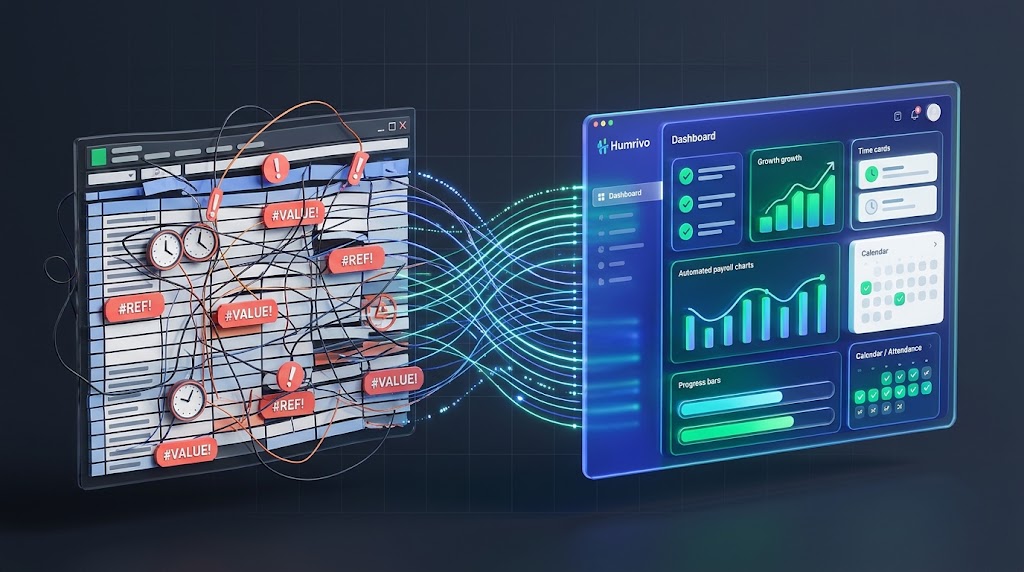
Why Spreadsheets Are Quietly Breaking Your Payroll (And How to Fix It)
Manual time tracking and disconnected spreadsheets create subtle errors that cost companies thousands every payroll cycle. Here is why unifying your attendance and payroll stops the leak.
Waseem Saleem2 min read